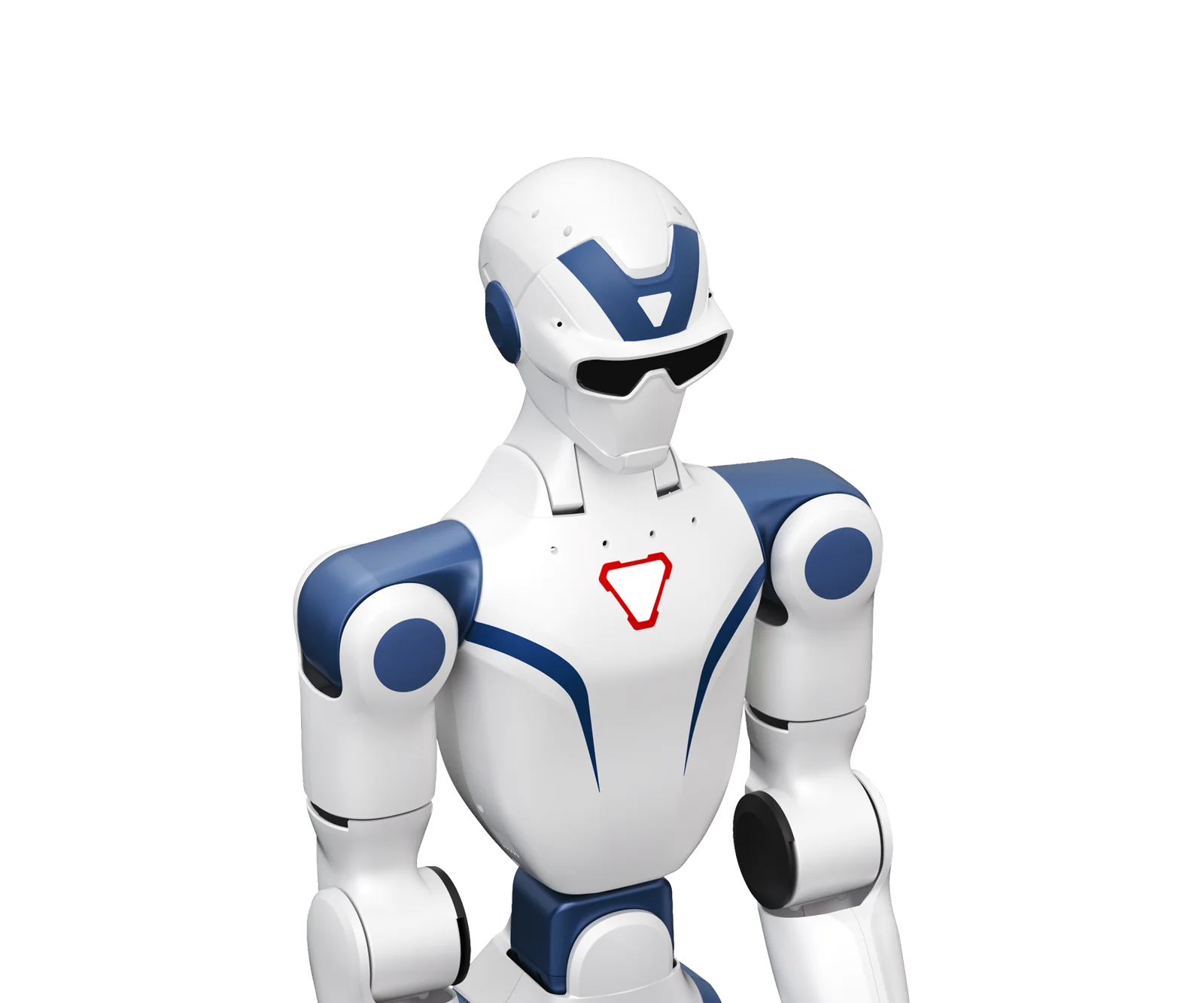
Anyone assessing the Unitree R1 for universities and teaching has two constraints: a course to cover and a budget to close. The R1 EDU is the compact biped in the range: it is used to teach how a humanoid walks and how to write the code that controls it. It is not designed for heavy manipulation or assembly; the hands are optional.
General information, not legal or tax advice. End-User prices excluding VAT from the public price list; the terms of any funding call should be checked with your institution's research office.
Unitree R1 for universities: what it actually does
In a university the R1 covers three labs: control and locomotion, reinforcement learning, perception and human-robot interaction. An introductory course uses it for the practical part; an advanced course adds the simulation-to-robot pipeline. Outside these three areas it is not the right choice: it is not a service robot.
| Lab | What the student studies | What they touch on the robot | Limitation to know |
|---|---|---|---|
| Control and locomotion | Kinematics, dynamics, balance, gait generation | Joint states, low-level commands, IMU | Knee torque not published |
| Reinforcement learning | Rewards, domain randomisation, sim-to-real transfer | SDK, DDS topics, simulator | R1 models to be verified |
| Perception and HRI | Stereo vision, depth, voice, tracking | Binocular camera, microphone array | Depth 544×448, not an industrial sensor |
The official R1 specifications
The data below comes from the manufacturer's datasheet. Unitree notes that parameters can change with configuration and that arm payload varies greatly with posture.
| Item | R1 Air | R1 Basic | R1 EDU |
|---|---|---|---|
| Dimensions standing | 1230 × 357 × 190 mm | 1230 × 357 × 190 mm | 1230 × 357 × 190 mm |
| Weight with battery | approx. 27 kg | approx. 29 kg | approx. 29 kg |
| Degrees of freedom | 20 | 26 | 26, up to 40 with hands |
| Arm / waist / head | 4 / 0 / 0 | 5 / 2 / 2 | 5 / 2 / 2 |
| Max payload per arm | approx. 2 kg | approx. 2 kg | approx. 2 kg |
| Camera | Monocular | Binocular | Binocular |
| Compute | 8-core CPU | 8-core CPU | 8-core CPU + Jetson Orin 40-100 TOPS depending on configuration |
| SDK | No | No | Yes |
| Battery life | approx. 1 hour | approx. 1 hour | approx. 1 hour |
| Warranty | 6 months | 8 months | 12 months |
The battery is quick-release, with charger and remote control included; Wi-Fi 6 and Bluetooth 5.2 are declared across the family. Unitree warns that the sector is at an early stage, some functions are in development and a safety distance must be maintained.
SDK and software development: what you program on the R1 EDU
Among the versions of the biped, custom software development (SDK) is active only on the R1 EDU. Air and Basic are controlled with an app or remote and do not run student code. On the EDU you work with unitree_sdk2, a layer over DDS with publish/subscribe for continuous data and request/response for commands. The C++ examples for the R1 in the SDK use the rt/lowstate and rt/lowcmd topics; the R1 documentation has a ROS 2 routine. The SDK is distributed under the BSD-3-Clause licence. For first steps on ROS 2 there is the Unitree quick guide.
The R1 EDU head carries a binocular module. The documented video service exposes a 1280×720 image, RGB per eye at 544×448 and a depth map at 544×448. That is enough to detect obstacles and estimate distances; not for an industrial-sensor dataset.
The official datasheet mentions support for the main platforms; the unitree_sim_isaaclab repository, however, documents G1 and H1-2, not R1. Before setting up a reinforcement learning course, ask for the updated R1 models and test the pipeline in the lab.
Three possible courses
Control and locomotion
It is the most natural course. Students read joint states and IMU, generate support trajectories and try to keep balance under controlled disturbances. Typical exercises: standing up and lowering, squats, stepping forward and back, recovery after a lateral push. Unitree does not publish the maximum knee torque of the R1: for the G1 EDU it declares 120 N·m. The comparison with the R1 should be based on observed response, not on a nameplate figure.
Reinforcement learning
The R1 EDU lets you deploy a policy trained in simulation onto the robot via the SDK. It is best to train in simulation and use the robot for final verification. Useful exercises: reward shaping for walking, friction and mass randomisation, evaluation on uneven terrain. The pipeline should be built on the models actually available, not taken for granted.
Perception and interaction
Stereo camera and four-microphone array are enough for a perception and HRI lab. Students estimate depth, segment an obstacle, track a person and link a voice command to an action. Unitree declares an integrated multimodal model for voice and images; results should be measured in the lab, not taken from the manufacturer's demo.
How many units you need and how to organise the lab
With a large class it is worth dividing students into groups and running sessions in shifts. A second battery per robot avoids stopping a shift while the other one charges. The robot works in a fenced area, with a clear floor and the manufacturer's safety distance; switching on, switching off and moving remain with one responsible person. Students connect on the local network and work on the code.
| Accessory | Price excluding VAT | When you need it |
|---|---|---|
| R1 battery (6000 mAh) | €586.95 | Sessions beyond one hour or classes in shifts |
| R1 charger | €146.73 | One unit per robot |
| 100 TOPS compute module | €4,402.07 | Upgrade for U1 with heavier models |
| Livox Mid-360 LiDAR kit | €2,201.04 | SLAM and navigation |
| Dex3-1 hand without tactile sensors | €7,109.32 | If the course includes grasping |
Unitree R1 price: which version to choose for a university
For teaching, the starting point is the R1 Edu Standard (R1-U1): 26 degrees of freedom, SDK and a 40 TOPS compute module. The R1 Edu Smart (R1-U2) adds the 100 TOPS expansion base. The Professional versions add the hands: the U3 includes the Dex3-1 without tactile sensors. If the course does not involve grasping, a Professional pays for accessories that stay idle.
| Version | Price excluding VAT | Note |
|---|---|---|
| R1 Air | €7,190.05 | Demo and teleoperation, no SDK |
| R1 Basic | €8,261.55 | 26 DoF, no SDK |
| R1 Edu Standard (R1-U1) | €14,929.58 | Entry EDU, 40 TOPS module |
| R1 Edu Smart (R1-U2) | €17,608.28 | U1 with 100 TOPS expansion base |
| R1 Edu Professional A (R1-U3) | €32,281.85 | U2 with Dex3-1 hands without tactile |
| R1 Edu Professional B (R1-U4) | €35,216.56 | Most expensive configuration in the family |
In the price list the R1 family runs from €6,294.96 (R1-A5 Standard, torso without legs) to €35,216.56 (R1 Edu Professional B). The other Professional versions differ by hands and accessories: the full overview is on the R1 range page. Prices are End-User, excluding VAT, with shipping quoted in the proposal; VAT and duties follow the rules for the destination country as described on the country page.
The limitations to factor in
- Battery life. A teaching day requires spare batteries and planned shifts.
- SDK. Air and Basic are not programmable. A teaching quote starts from the U1.
- Hands. A Dex3-1 hand without tactile sensors costs €7,109.32, almost as much as an R1 Air. For locomotion alone they are an unnecessary cost.
- Simulation. The unitree_sim_isaaclab repository documents G1 and H1-2. For the R1, the availability of assets and pipeline must be verified.
- Maturity. Unitree writes that some functions are in development and that a safety distance is required. The lab needs a written procedure.
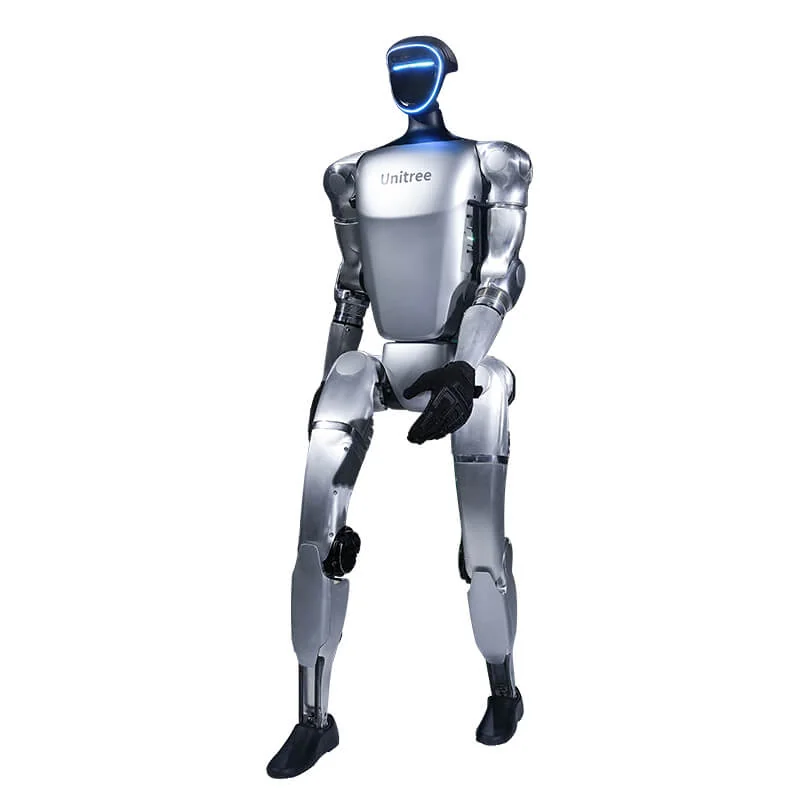
If the course focuses on manipulation, the right comparison is with the G1, not with a more expensive version of the R1. The G1 Edu Standard (G1-U1) costs €38,004.54; the G1 EDU family declares 120 N·m at the knee, reaches 43 degrees of freedom and offers more hand options. For grasping on a bench only, consider the legless R1-D or G1-D versions. For two labs, the sensible combination is an R1 for the basic course and a G1 for manipulation, not two R1s with expensive hands.
How the purchase is funded at a university
Business incentives such as hyper-depreciation are reserved for companies: they are not aimed at universities as such. Universities generally buy with project funds, national research programmes and EU programmes. Horizon Europe has an indicative budget of EUR 93.5 billion for 2021-2027. Each programme decides which cost items are eligible: robot, compute modules, batteries, software and training can fall into different categories. The quote should be built around the cost lines of the call. For the incentives available to buyers in the United Kingdom, Ireland and internationally, see the country page incentives.
For the full picture on platforms and pathways there is the Universities and Research page. If the buyer is a company, the rules on incentives and leasing are in the article on robot financing.
Frequently asked questions
What does the Unitree R1 do in a university lab?
It supports control and locomotion, reinforcement learning and perception courses. It is not designed to manipulate loads: maximum payload per arm is around 2 kg and battery life is around one hour.
Which version of the R1 can be programmed?
Only the EDU versions. Air and Basic are used with an app and remote control; the unitree_sdk2 SDK, ROS 2 and DDS topics are documented for the R1 EDU.
How much does the Unitree R1 cost for a university?
The R1 Air costs €7,190.05; the R1 Edu Standard (R1-U1), the first programmable version of the biped, costs €14,929.58. The most expensive version in the R1 family is the R1 Edu Professional B (R1-U4) at €35,216.56. End-User prices excluding VAT.
Is the R1 suitable for reinforcement learning?
Yes, in the EDU version, with a simulation, training and transfer workflow. The battery of around one hour limits real sessions; the unitree_sim_isaaclab repository documents G1 and H1-2, so the available models must be verified for the R1.
Can a university use business incentives to buy an R1?
Generally no: hyper-depreciation and similar business incentives are aimed at companies. Universities fund the purchase through project funds, national research programmes or EU programmes such as Horizon Europe, according to the rules of each call. See the country page for the incentives available to local buyers.
R1 or G1 for teaching?
The R1 EDU is enough for control, locomotion and perception on a contained budget. For manipulation, imitation learning and teleoperation datasets the reference is the G1 EDU.
Sources
- Unitree, official R1 datasheet (specifications, DoF, notes on safety and functions in development)
- Unitree Document Center, R1 developer (specifications, cameras, electrical interfaces, custom software development)
- Unitree Document Center, R1 services interface (DDS, publish/subscribe, request/response, unitree_sdk2)
- Unitree Document Center, R1 video service (binocular module resolutions: 1280×720, RGB per eye and depth 544×448)
- Unitree Robotics, unitree_sdk2 (SDK, BSD-3-Clause licence, Ubuntu environment, R1 examples and DDS topics)
- Unitree Robotics, unitree_sim_isaaclab (Isaac Lab environment for G1 and H1-2)
- Unitree, official G1 datasheet (23-43 degrees of freedom, 120 N·m at the knee for the EDU version, optional hands)
- Unitree, official R1-D datasheet and official G1-D datasheet (legless versions, dual-arm or column)
- European Commission, Horizon Europe (2021-2027 programme, EUR 93.5 billion indicative)
- Abra Robotics, public End-User price list (prices excluding VAT used in the tables)