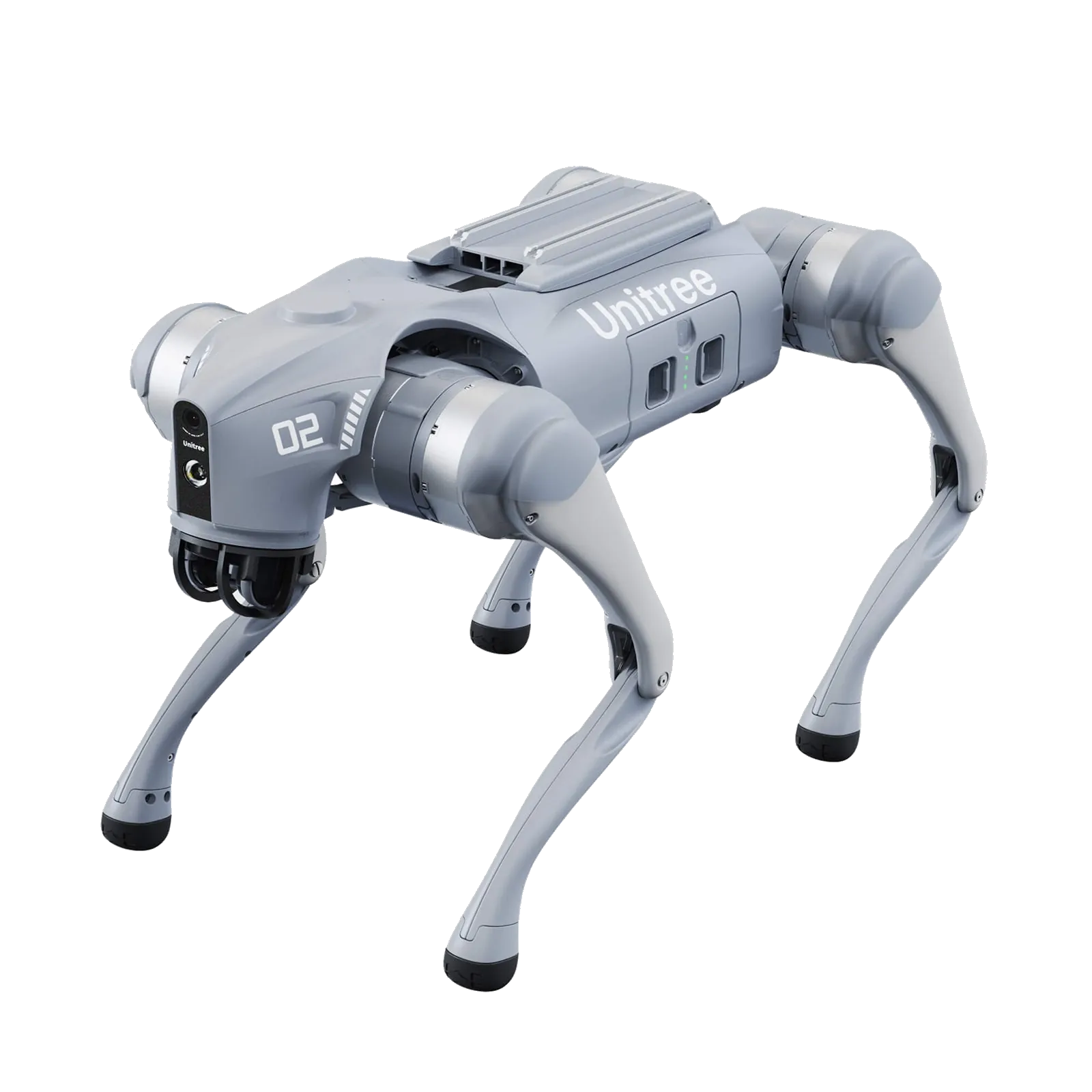
ROS 2 on Unitree robots works without reverse engineering and without translation nodes: the robot publishes its data over DDS (CycloneDDS), and ROS 2 uses DDS as its communication layer. The official unitree_ros2 package provides the message definitions and the environment scripts. This guide summarises the procedure from the official README, including the points where people usually get stuck.
Which Unitree robots support ROS 2
Software development is only available on the developer versions. For the Go2, the official page indicates secondary development on the EDU version, not on Air and Pro; for the G1 the same applies with the G1 EDU.
| Robot | Messages in unitree_ros2 | ROS 2 examples in the repository |
|---|---|---|
| Go2 EDU | unitree_go | sport client, stand, robot state, low-level |
| B2 / B2W | unitree_go | low-level, reading state |
| G1 EDU | unitree_hg | g1_low_level_example |
| H2 | h2 examples folder | included in the repository |
| H1 / H1-2 | unitree_go / unitree_hg | low-level H1-2 |
For R1 and A2, as of October 2026 unitree_sdk2 contains dedicated C++ examples, but unitree_ros2 still has no specific examples. Before buying one of these models for a ROS 2-only project, check the state of the repository.
Requirements: Ubuntu and the ROS 2 version
The unitree_ros2 README lists two tested combinations:
- Ubuntu 22.04 + ROS 2 Humble, listed as recommended;
- Ubuntu 20.04 + ROS 2 Foxy.
According to the ROS 2 releases table, Foxy reached end of support on 20 June 2023, while Humble is supported until May 2027 and Jazzy until May 2029. For a project starting today the practical choice is Humble; Jazzy is not among the combinations tested by Unitree. ROS 2 Humble installs from Debian packages following the official guide.
Installing unitree_ros2 step by step
1. Clone the repository and install the dependencies (with Humble replace foxy with humble):
git clone https://github.com/unitreerobotics/unitree_ros2
sudo apt install ros-humble-rmw-cyclonedds-cpp
sudo apt install ros-humble-rosidl-generator-dds-idl
sudo apt install libyaml-cpp-dev
2. Only with Foxy: build CycloneDDS 0.10.x in the cyclonedds_ws workspace, in a terminal where ROS 2 has not been sourced. The robot uses CycloneDDS 0.10.2; with Humble this step is not needed.
3. Build the message packages (unitree_go, unitree_hg, unitree_api):
cd ~/unitree_ros2/cyclonedds_ws
source /opt/ros/humble/setup.bash
colcon build
Network and CycloneDDS
Connect the PC to the robot with an Ethernet cable. In the interface settings set manual IPv4, address 192.168.123.99, netmask 255.255.255.0, as the README says. With ifconfig or ip a find the interface name (for example enp3s0) and put it in ~/unitree_ros2/setup.sh:
#!/bin/bash
source /opt/ros/humble/setup.bash
source $HOME/unitree_ros2/cyclonedds_ws/install/setup.bash
export RMW_IMPLEMENTATION=rmw_cyclonedds_cpp
export CYCLONEDDS_URI='<CycloneDDS><Domain><General><Interfaces>
  <NetworkInterface name="enp3s0" priority="default" multicast="default" />
</Interfaces></General></Domain></CycloneDDS>'
The decisive line is RMW_IMPLEMENTATION=rmw_cyclonedds_cpp: Humble's default middleware is a different one, and without this variable the PC does not see the robot. The ROS 2 documentation explains how to choose the DDS middleware. Without a robot connected you can use setup_local.sh, which works on the loopback interface.
First topic
source ~/unitree_ros2/setup.sh
ros2 topic list
ros2 topic echo /sportmodestate
On Go2 and B2 /sportmodestate reports position, velocity and gait; /lowstate reports motors, IMU and battery. To build and run the examples:
cd ~/unitree_ros2/example
colcon build
./install/unitree_ros2_example/bin/read_motion_state
The README also shows how to visualise the Go2 LiDAR point cloud in RViz2, on the utlidar/cloud topic with the utlidar_lidar frame.
Control: high level and low level
- High level (Go2, B2): requests on
/api/sport/requestwithunitree_apimessages, generated by theSportClientclass in the examples. The robot uses its own motion control. - Low level: position, velocity, torque and gain commands on
/lowcmd. The built-in motion service must first be disabled, otherwise the commands overlap. On humanoids you enter debug mode with L2+R2, with the robot suspended: the full procedure is in the programming the G1 guide.
Simulate before touching hardware
unitree_mujoco is the official MuJoCo-based simulator: it accepts programs written with unitree_sdk2, unitree_sdk2_python and unitree_ros2, with the same low-level messages as the real robot. The recommended flow is to develop in simulation on loopback, then run the same code on the robot by changing the network interface. For locomotion policies there is unitree_rl_gym (Go2, G1, H1, H1-2).
Common errors
- No topics: RMW not set, wrong interface in
setup.shor the PC outside the subnet. The README also recommends rebooting the PC after the first configuration. - CycloneDDS build failed on Foxy: the terminal had already sourced
/opt/ros/foxy/setup.bash; comment out the line in~/.bashrcand reopen the terminal. - Multiple ROS installs on the same PC: avoid putting
setup.shin~/.bashrcand source it by hand when needed.
For university labs, Abra Robotics supplies the Unitree range in the UK and offers SDK training and development as separate services, with support in English: see Universities and Research and Software. The developer version pages are Go2 EDU and G1 EDU.
Frequently asked questions
Which ROS 2 version should I use with Unitree robots?
Humble on Ubuntu 22.04: this is the combination Unitree recommends in the unitree_ros2 README. Foxy on Ubuntu 20.04 is tested but reached end of support on 20 June 2023. Humble is supported until May 2027.
Can the Go2 Air or Pro be used with ROS 2?
No. In the official Go2 table, secondary development is only available on the EDU version; Air and Pro do not include it. For ROS 2 you need a Go2 EDU.
Do I need to install a bridge between the SDK and ROS 2?
No. The robot and ROS 2 both use DDS, so with unitree_ros2 and the CycloneDDS middleware the robot's messages appear directly as ROS 2 topics, with no translation nodes.
Why doesn't ros2 topic list show the robot's topics?
The most common causes are three: RMW_IMPLEMENTATION not set to rmw_cyclonedds_cpp, wrong network interface name in setup.sh, or the PC not configured on 192.168.123.x. Check setup.sh again and ping the robot.
Can I use ROS 2 without the robot connected?
Yes. unitree_ros2 includes setup_local.sh, which uses the loopback interface, and unitree_mujoco simulates the robot with the same messages: you can develop and test in simulation before touching the hardware.
Sources
- Unitree, unitree_ros2, README and examples: github.com/unitreerobotics/unitree_ros2
- Unitree, unitree_sdk2: github.com/unitreerobotics/unitree_sdk2
- Unitree, unitree_mujoco: github.com/unitreerobotics/unitree_mujoco
- Unitree, unitree_rl_gym: github.com/unitreerobotics/unitree_rl_gym
- Unitree, Go2 and G1 product pages (secondary development on EDU only): unitree.com/go2 · unitree.com/g1
- Unitree Document Center, developer section: support.unitree.com/home/en/developer
- ROS 2 Documentation, distributions and end-of-support dates: docs.ros.org/en/humble/Releases.html
- ROS 2 Documentation, Humble installation from Debian packages: docs.ros.org
- ROS 2 Documentation, DDS middleware and RMW: docs.ros.org