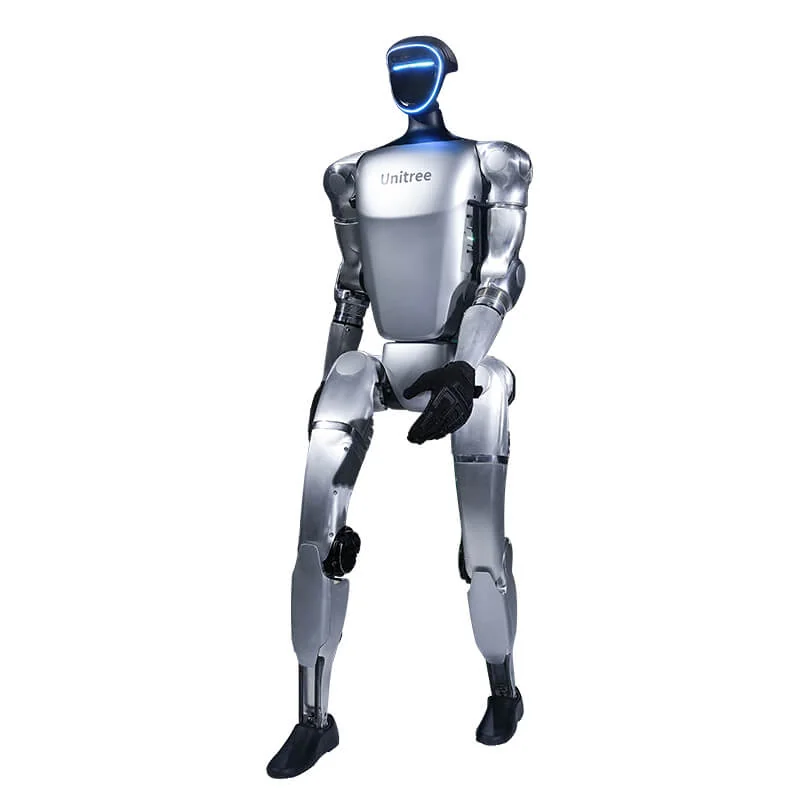
The G1 problems that recur in the unitreerobotics GitHub issues and in the user manual fall into four groups: the robot does not stand up or loses stability, a motor raises an alarm or gets hot, the app does not connect, the battery drains or shuts down. For each symptom you will find the likely cause, the checks in order and the point at which to stop.
Unitree G1: common problems, symptoms and first checks
| Symptom | Likely cause | First check |
|---|---|---|
| Won't stand up, falls immediately, shakes | Incomplete startup, soft surface, wrong support or out-of-tolerance calibration | Restart, app and alarms, hard and clear surface |
| Joint alarm, hot motor, arm losing response | Overcurrent, transient overvoltage, overheating or gains too high | Stop the robot, let it cool, note the code |
| App won't connect or keeps disconnecting | AP hotspot, Bluetooth permissions, distance | Connection mode and hotspot name |
| Battery shuts down or flashes red | Battery protection or current spike | Battery LEDs and last command sent |
Why won't the G1 stand up, or why does it fall as soon as it is switched on?
The manual describes two different cases. The first is a failed startup: the robot is suspended and switched on, but after two minutes you do not hear the ankle reach the end of its travel. In that case initialisation has not completed and the manual asks you to go back over the "Check before Power on" and "Preparation before Power on" steps before trying again.
The second case is a fall during use: if the robot slips or is commanded incorrectly, the motors automatically apply the brakes to protect the joints. This is not a joint failure, but a reaction to the event. Before switching it back on, fix the cause: surface, support, command.
- Restart the robot and start again from the power-on sequence, not from a movement command.
- Put the robot in damping with L2 + B before touching it. The full sequence is in the G1 operating guide.
- Check the alarms in the app: Unitree Explore shows status, temperatures and warnings in real time.
- Check the support: the manual asks you to make sure the protective bracket is fitted and the wheels at the base are locked.
Calibration. The G1 ships calibrated from the factory. The manual says not to recalibrate the joints for normal use and to consult Unitree technical support before deciding whether calibration is needed.
Motor errors and overheating
The G1 error table separates the overall state of the machine from that of the individual motor. Among the general codes worth recognising: 0x8 motor feedback timeout, 0x10 battery feedback timeout, 0x100 motor status error, 0x200 overcurrent protection, 0x400 undervoltage protection, 0x1000 software emergency stop pressed. On the motor, 0x1 is overcurrent, 0x2 transient overvoltage, 0x200 winding overheating, 0x400 and 0x800 errors from the two encoders.
The code tells you which protection has tripped, not which component is broken. That is why the first step is always the same: stop the robot, remove the load, let it cool down and note the exact code together with the joint involved.
Why does a motor get too hot
In the unitree_sdk2_python repository there is a documented case of shoulder motor overheating on a G1 with an Inspire FTP hand, with gains kp = 40 and kd = 1.5. The arm lost response after a short time. The thread has no official Unitree solution. One technical comment argues that the hand changes the mass and gravitational torque, so the control needs to be adapted to the actual load, not just the gains.
The same logic applies to external controllers: aggressive gains and postures that hold the arm extended for a long time increase current and temperature. If overheating appears with no added load, note the temperature, joint and error code and ask for support.
Conflicts between SDK, remote control and debug mode
A G1 that shakes or does not respond to SDK commands may have two command sources active at the same time. The motion control program starts at power-on and keeps sending commands even without the remote; if the SDK sends other instructions at the same time, the robot oscillates. Issue #43 in the unitree_sdk2_python repository explains switching to debug mode with L2 + R2 and confirming with L2 + A.
Watch out for the side effect: debug mode disables the sport client, so high-level movement commands stop working. To leave debug mode, the route given in the thread is to restart the robot. The software side is covered in the G1 programming guide.
Why won't the Unitree Explore app connect?
The manual provides two modes: AP, with the phone connected to the robot's hotspot, or Wi-Fi through a router. If you use AP, the check is straightforward: the phone must actually be on the G1 network, the hotspot name must not contain spaces or special characters and the two devices must stay close together. Then restart the robot and the app.
- Bluetooth: the app must have Bluetooth permission, and the phone's Bluetooth must stay on for the whole pairing.
- Account: the app requires a business account provided by Unitree; without credentials pairing is not completed.
- Distance: the manual asks you to keep the robot and phone close during pairing.
- Firmware update: Unitree distributes updates over the air (OTA); the procedure is in the G1 firmware update guide.
Battery: runtime, charging and shutdowns
Unitree states that the G1 has a 9000 mAh intelligent quick-release battery, about 2 hours of runtime and a 54 V 5 A charger. Actual runtime depends on how the robot is used.
The battery must be charged removed from the robot and switched off. The manual asks you to let it cool to room temperature after use, to use only the original charger and to disconnect it at the end of charging, when all the LEDs go out. If the LEDs flash red, do not keep charging and do not open the pack.
A sudden shutdown during a test can also be overcurrent protection. In issue #14 of unitree_rl_mjlab a Unitree contributor links the shutdown with a red LED to a torque spike when switching from a fixed pose to a trained policy, and recommends more gradual commands. The replacement battery is listed on the G1 battery page.
When to get support
Stop and contact support if any of these signs appears:
- an alarm returns after a restart or appears without a command;
- a joint gets unusually hot, seizes or smells;
- the robot falls repeatedly on the same side with no surface errors;
- the battery swells, leaks or will not accept a charge;
- after an impact there are cracks, exposed cables or loose connectors.
Before you write, prepare: serial number, firmware version, full error code, joint involved, mounted load, exact minute of the event and a video. These are the same details needed to understand whether the problem is software, electrical or mechanical. For support, your first contact is Abra Robotics, also through the assessment. For the range and versions, see the Unitree G1 page. Abra Robotics supplies the Unitree range in the United Kingdom, Ireland and internationally, with support in English.
Frequently asked questions
Why won't the G1 stand up, or why does it fall straight after switching on?
The most frequent causes are an incomplete startup, an uneven surface, a command given without support or an out-of-tolerance calibration. Restart the robot, check the alarms in the app and, if the problem remains, ask for support before recalibrating.
What does a motor error on the G1 mean?
The code indicates the type of protection: overcurrent, transient overvoltage, overheating or encoder error. Stop the robot, let it cool down and note the exact code before trying again.
Why won't the Unitree Explore app connect to the G1?
In AP mode the phone must be on the robot's hotspot and the name must not contain spaces or symbols. Keep Bluetooth on and grant the app Bluetooth permission; if that is not enough, restart the robot and the app.
How long does the G1 battery last?
About 2 hours according to Unitree, with a 9000 mAh battery. Unitree notes that the figures can vary with configuration and use.
When should I call support?
When an alarm returns after a restart, a joint gets hot or seizes, the battery swells or the robot falls for no reason. Prepare the serial number, firmware version, a video and the error code.
Sources
- Unitree, official G1 and G1 EDU page (9000 mAh battery, about 2 hours of runtime, 54 V 5 A charger)
- Unitree Document Center, machine and motor status error codes
- Unitree, G1 User Manual (startup, app, calibration, abnormal conditions, battery)
- Unitree, Unitree Explore app page for the G1 (status, temperatures, alarms, calibration)
- GitHub, unitreerobotics/unitree_sdk2_python, issue #129: shoulder motor overheating with an Inspire FTP hand
- GitHub, unitreerobotics/unitree_sdk2_python, issue #43: SDK commands, debug mode and conflicts with the motion controller
- GitHub, unitreerobotics/unitree_rl_mjlab, issue #14: shutdown and red LED for overcurrent protection